
An affirmations widget for a moment of encouragement
Bring a supportive phrase into the moments when you check your phone. Orly combines widgets with personalized affirmations, audio and reminders so you can return to words that matter to you.
Free to download, with every Premium feature included on your first day. See pricing.

Inside Orly
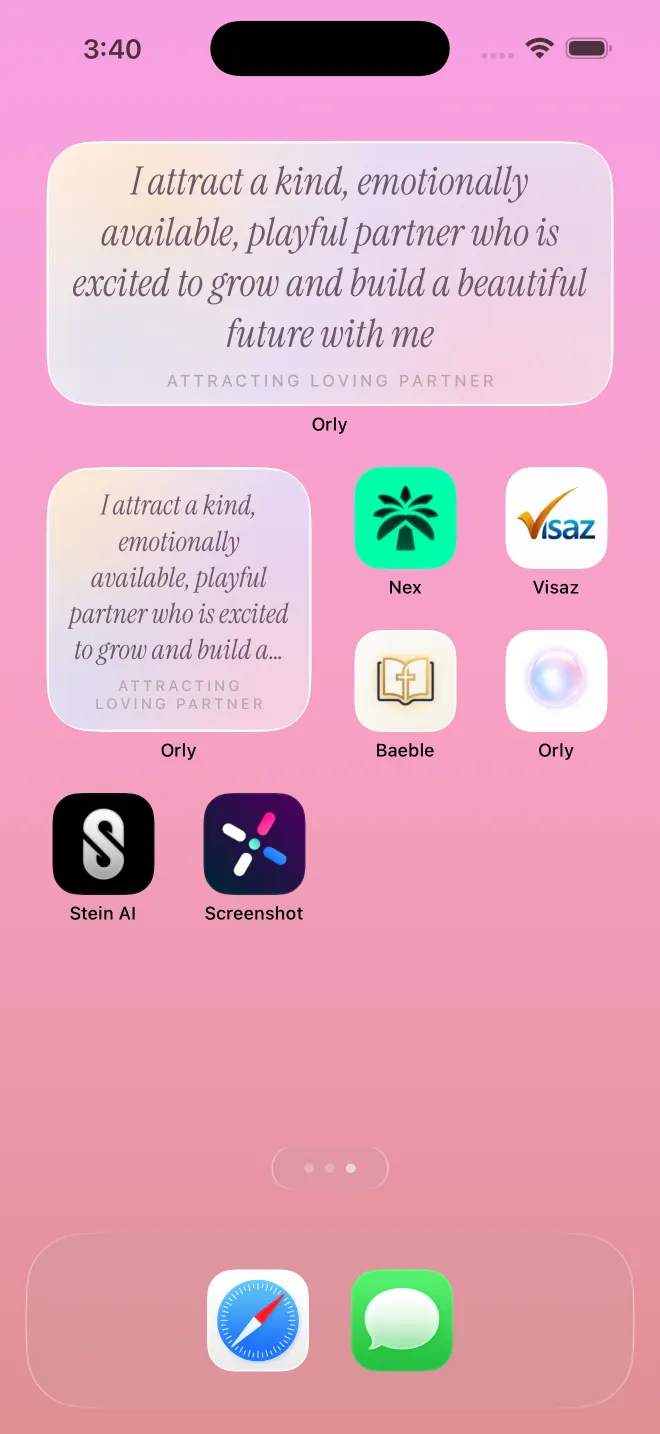
Today's affirmation on your home screen
Add an Orly widget so today's affirmation is there every time you pick up your phone. iPhone also gets lock screen widgets and a Live Activity.
Choose words you want to see again
Start with a short affirmation that feels believable today. Try “I can take one step at a time” or “My attention belongs to what matters.” Use your device’s widget controls to add and configure the Orly widget; available options depend on your platform.
Make a widget part of your routine
Pair your affirmation with an existing habit, such as checking your calendar or taking a break. Read the phrase slowly and choose one small action that puts it into practice.
Add an Orly widget on iPhone
Open Orly first so it has an affirmation to display. On your iPhone Home Screen, touch and hold an empty area, open the widget gallery, search for Orly, and choose a widget size. Add it and move it to a spot you will see. The exact controls depend on your iOS version; if Orly is missing, open the app again and check that it is up to date.
Add an Orly widget on Android
Open Orly, then return to your Home Screen. Touch and hold an empty area, choose Widgets, and look for Orly. Touch and hold a widget to place it, then adjust its size if your launcher supports resizing. Android launchers can use different labels and controls.
Before choosing a widget
Check the app for current widget access and your plan. Home Screen widgets, lock-screen displays and notification features differ by platform. If your affirmation is out of date, open Orly to refresh your content before checking the widget again.
Frequently asked questions
What is an affirmations widget?
An affirmations widget puts a short, supportive phrase on your phone’s screen so you can revisit it without opening a full app.
Does Orly offer more than widgets?
Yes. Orly includes personalized affirmations, spoken audio and reminders. Check the app for available features and plan access.
Free affirmation generator (no signup), how to write affirmations that feel believable, or a worked blog example.
Best affirmation apps in 2026, or compare affirmation apps one by one.